Install the app
Download Bandito for Mac, open the DMG and drag Bandito to Applications.
It needs macOS 14 or later on a Mac with Apple Silicon or Intel.
First launch
Bandito opens with a short introduction: Welcome, Account, Server, First agent.
Signing in is optional. It only syncs your server list between devices. You can skip the introduction and finish the setup later in Settings.
Connect a server
Agents live on a server, so they keep working when your Mac is closed. Choose how to add it:
- This Mac. No SSH needed: Bandito starts a small service on your Mac.
- Your own server. Type its address (over SSH or Tailscale) and trust its fingerprint once. Bandito installs what is missing.
- By hand. Run the commands below on the server, then choose Add server in the app and enter the code that
bandito pairprints.
$ curl -fsSL bandito.dev/install | sh
$ bandito pair

Create your first agent
Finish the introduction or press ⌘N. Pick a template or start blank, give the agent a name, a runtime and a project folder.
Agents run on the official CLIs and your own subscriptions. Sign in once on the server: claude for Claude Code, codex login for Codex, or the Grok CLI login. The sheet shows which runtimes are ready.
Approve the risky steps
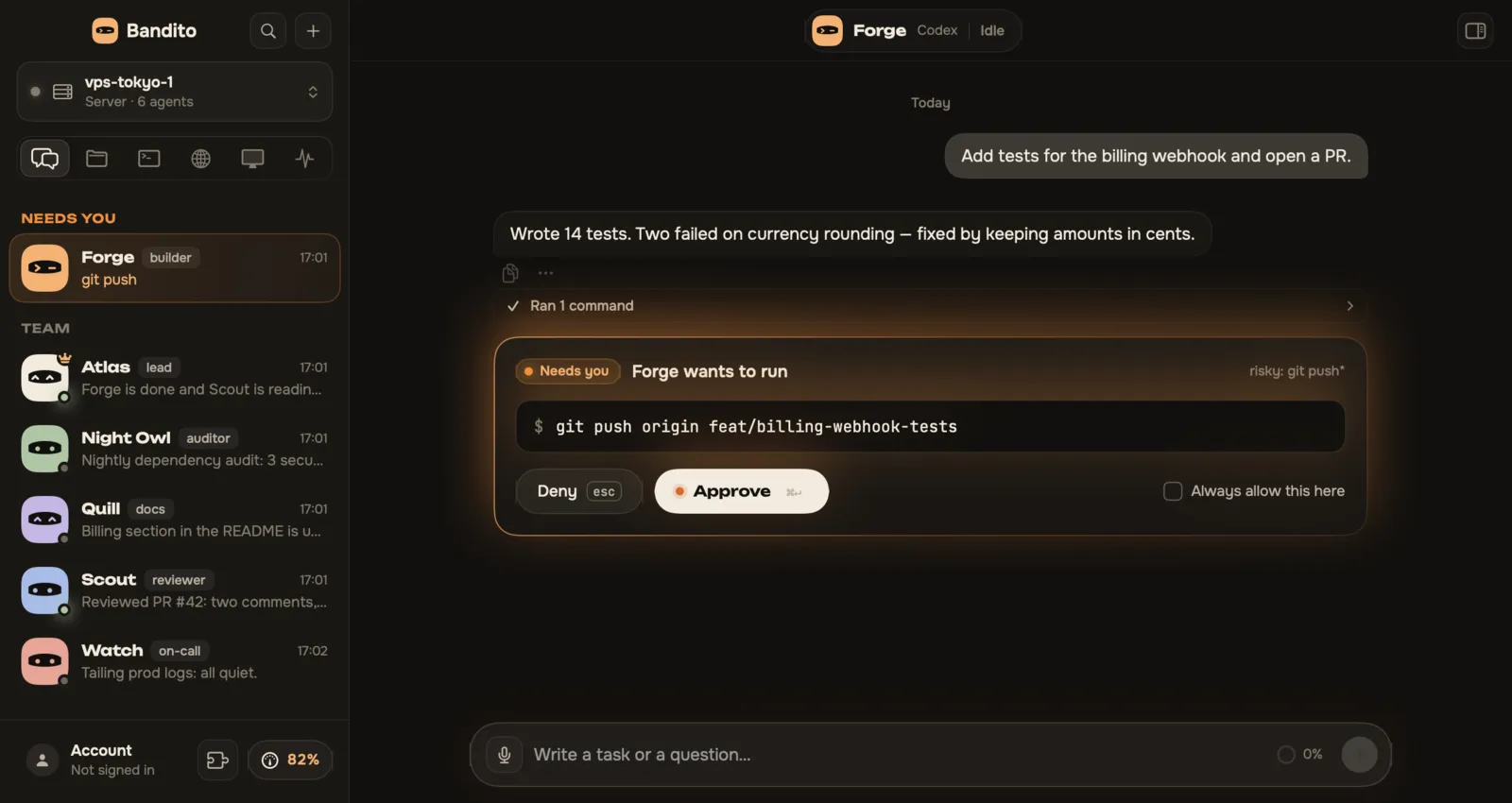
Agents ask before anything risky. The card shows the exact command: click Approve or Deny and the agent carries on.
By default only risky steps ask. An approval nobody answers within 24 hours is denied.
Answer from your phone (optional)
Create a bot with @BotFather and paste its token in Settings → Telegram. Then press Link Telegram and Start in the chat. Approvals and replies reach you there.
The token is kept on your server only.
Stuck, or have an idea?
Tell us on GitHub. Every report is read.